

Understanding the Importance of Collaboration in a WordPress Content Team
Enhancing Creativity Through Teamwork
Collaboration sparks creativity within a WordPress content team.
When writers, designers, and developers exchange ideas, innovations occur.
Furthermore, diverse perspectives lead to richer, more engaging content.
For example, a content strategist like Maya Turner might brainstorm topics with editor Liam Chen.
This teamwork results in content that better resonates with audiences.
Improving Efficiency and Workflow
A collaborative culture streamlines content creation and publishing processes.
Team members share responsibilities and reduce redundant efforts effectively.
Consequently, deadlines are met more consistently and stress levels decrease.
At ClearWave Media, communication tools help the content team coordinate smoothly.
Thus, everyone stays informed and can adjust tasks quickly as needed.
Building Stronger Communication Channels
Open communication is crucial for successful collaboration in content teams.
Regular meetings and feedback sessions encourage transparency and trust.
Moreover, team members feel valued and motivated when their input matters.
For instance, Janelle Ortiz, the lead writer at BrightPixel, actively solicits feedback from developers.
This practice strengthens collaboration and improves overall content quality.
Driving Consistent Brand Messaging
Collaboration ensures all content aligns with the brand’s voice and goals.
Team members work together to maintain consistency across posts and channels.
Additionally, shared guidelines help avoid mixed messages and confusion.
At Evergreen Studios, content managers and SEO specialists coordinate closely on messaging.
This effort enhances the brand’s reputation and audience trust.
Encouraging Continuous Learning and Growth
Collaboration creates opportunities for skill development and knowledge sharing.
Team members learn new tools and techniques from one another regularly.
Therefore, they adapt quickly to changes in WordPress and content marketing trends.
For example, content analyst Diego Rivera often hosts training sessions on SEO best practices.
These initiatives contribute to the team’s overall success and adaptability.
Setting Clear Communication Channels and Collaboration Tools
Establishing Effective Communication Channels
Clear communication lays the foundation for a collaborative content team.
Start by defining primary channels for daily interactions.
For example, use Slack for instant messaging and real-time updates.
Additionally, designate email for formal and detailed communications.
This approach ensures team members know where to find important information.
Transform Your Content Workflow with Draft and Edit
Ready to elevate your WordPress content creation?
Visit
Draft and Edit today and experience the power of AI-driven drafts and seamless collaborative editing.
Join our community to streamline your content process and boost your productivity like never before!
Moreover, schedule regular video meetings via Zoom or Microsoft Teams.
These sessions foster direct engagement and clarify complex topics instantly.
Furthermore, encourage openness to questions and feedback across all channels.
Such transparency strengthens trust and reduces misunderstandings.
Choosing the Right Collaboration Tools
Select tools that align with your team’s workflows and content goals.
Start with project management platforms like Trello or Asana to track assignments.
These tools visually organize tasks and deadlines for better accountability.
For content creation and editing, Google Docs enables simultaneous collaboration.
It allows copywriters and editors to work together without version conflicts.
Also, incorporate WordPress plugins like Edit Flow for editorial calendar management.
This plugin helps coordinators oversee content scheduling and status updates.
To manage assets, use cloud storage solutions such as Dropbox or OneDrive.
These services provide secure and easy access to media files and documents.
Encouraging Consistent Tool Usage
Consistency in using communication and collaboration tools drives efficiency.
Ensure all team members receive training on required platforms.
Regularly remind the team to update project statuses and communicate progress.
Additionally, create guidelines that outline preferred usage practices.
Such rules prevent confusion and maintain organized workflows.
Leadership should actively demonstrate the use of chosen tools daily.
This behavior motivates others to adopt best practices seamlessly.
Ultimately, consistent communication and tool usage accelerate project completion.
Defining Roles and Responsibilities Within the Content Team
Clarifying Individual Roles for Efficiency
Clear roles help the team work more efficiently and avoid overlap.
Laura Simmons leads content strategy at BrightWave Media, defining key objectives.
She ensures every member understands their responsibilities distinctly and precisely.
Meanwhile, Marco Chen handles content creation with a focus on engaging blog posts.
His role involves producing high-quality WordPress articles that match the brand voice.
Additionally, Priya Patel manages editorial workflows to maintain consistency and deadlines.
She coordinates edits, revisions, and final approvals smoothly within the team.
Assigning Responsibilities to Enhance Collaboration
Assigning specific duties encourages team members to take ownership of their tasks.
For instance, Marcus Lee oversees SEO integration to improve content visibility.
Transform Your Content Workflow with Draft and Edit
Ready to elevate your WordPress content creation?
Visit
Draft and Edit today and experience the power of AI-driven drafts and seamless collaborative editing.
Join our community to streamline your content process and boost your productivity like never before!
His work aligns content with search engine best practices and keyword strategies.
Similarly, Anika Gomez focuses on multimedia elements like images and videos.
Her contributions enrich blog posts and improve user engagement values.
Together, these defined roles promote accountability and reduce confusion effectively.
Using Tools to Support Role Definition
Content management platforms like Trello help illustrate team roles clearly.
Ellen Rivera sets up boards detailing who handles specific tasks and deadlines.
This visual system ensures transparency and keeps everyone informed in real-time.
Moreover, regular meetings under Daniel Ortiz’s coordination review role clarity continuously.
These sessions allow adjustments according to project changes and team feedback.
Ultimately, well-defined roles combined with supportive tools reinforce a culture of collaboration.
You Might Also Like: The Future of WordPress Collaboration: Trends to Watch
Encouraging Open Feedback and Constructive Criticism
Importance of Open Communication
Open communication fosters trust within your WordPress content team.
When team members feel safe, they share ideas more freely.
Consequently, creativity and innovation improve considerably.
Encouraging honest dialogue helps identify content strengths and weaknesses early.
Therefore, it reduces errors and enhances overall quality.
Establishing Guidelines for Constructive Criticism
Set clear rules to guide feedback and ensure respect.
The team should focus on the content, not the individual.
Feedback must be specific, actionable, and aimed at improvement.
Encourage examples and explanations to clarify points raised.
This approach helps avoid misunderstandings and defensiveness.
Creating Feedback Channels
Implement multiple ways for team members to give feedback.
Consider scheduled meetings for open discussions and brainstorming.
Use project management tools like Asana or Trello for written comments.
Anonymous surveys can help gather honest opinions without pressure.
These channels ensure everyone has a voice, enhancing collaboration.
Promoting a Growth Mindset
Encourage team members to view feedback as a chance to grow.
Leadership should model positive responses to criticism.
Celebrate improvements inspired by constructive suggestions.
Highlight how continuous learning drives better content results.
Transform Your Content Workflow with Draft and Edit
Ready to elevate your WordPress content creation?
Visit
Draft and Edit today and experience the power of AI-driven drafts and seamless collaborative editing.
Join our community to streamline your content process and boost your productivity like never before!
This mindset builds resilience and increases team productivity over time.
Training and Support for Effective Feedback
Provide workshops on giving and receiving constructive criticism.
Equip content creators with communication and emotional intelligence skills.
Offer coaching sessions to help overcome feedback-related challenges.
This investment raises the overall team competence and confidence.
Ultimately, it nurtures a supportive environment within the content team.
Gain More Insights: Best Practices for Multi-Author Blogs on WordPress
Implementing Regular Team Meetings and Brainstorming Sessions
Establishing Consistent Meeting Schedules
Regular meetings build a strong foundation for collaboration.
Schedule weekly or biweekly sessions to maintain team momentum.
Communicate the meeting agenda in advance to all members.
This approach ensures everyone stays informed and prepared.
Moreover, consistent timing helps team members plan their workloads.
Creating an Inclusive Meeting Environment
Encourage open dialogue during meetings to boost engagement.
Invite all content creators, editors, and strategists to participate.
Foster respect by valuing every team member’s ideas and opinions.
Use video conferencing tools like Zoom or Microsoft Teams for remote participants.
Additionally, assign a facilitator to guide constructive discussions.
Driving Productive Brainstorming Sessions
Start with a clear objective to focus the brainstorming process.
Incorporate creative techniques such as mind mapping or free writing.
Encourage wild ideas before refining them into actionable plans.
Document all suggestions in shared documents like Google Docs or Notion.
Afterward, prioritize ideas based on feasibility and impact.
Leveraging Technology for Collaboration
Use collaboration platforms like Trello and Asana to track tasks.
Share updates promptly to maintain transparency within the team.
Integrate content calendars to align publishing schedules.
These tools reduce miscommunication and help monitor progress.
Teams like those at Horizon Media have successfully implemented these strategies.
Encouraging Continuous Feedback and Improvement
End each meeting by collecting feedback on the session’s effectiveness.
Adjust future meetings based on team preferences and needs.
Promote a culture where feedback is constructive and welcomed.
Transform Your Content Workflow with Draft and Edit
Ready to elevate your WordPress content creation?
Visit
Draft and Edit today and experience the power of AI-driven drafts and seamless collaborative editing.
Join our community to streamline your content process and boost your productivity like never before!
This practice strengthens trust and sharpens team collaboration skills.
Eventually, it leads to higher content quality and better project outcomes.
Find Out More: How to Set Up an Editorial Calendar in WordPress
Promoting Shared Goals and a Unified Content Strategy
Aligning Team Objectives
Start by defining clear content goals that everyone on the team understands.
Ensure that each member knows how their work contributes to these objectives.
Regularly revisit goals to keep everyone aligned as project priorities evolve.
Encourage open discussions to clarify expectations and resolve ambiguities.
Developing a Unified Content Strategy
Create a comprehensive content plan that reflects your brand’s voice and values.
Collaborate with writers, editors, and designers to ensure consistency in messaging.
Use tools like editorial calendars to organize publishing schedules effectively.
Regularly review performance metrics and adjust the strategy accordingly.
Fostering Collaboration Through Communication
Implement regular team meetings to share progress and brainstorm ideas.
Encourage the use of shared platforms such as Slack or Trello for seamless communication.
Promote transparency by making resources and updates easily accessible to all members.
Recognize individual contributions to motivate continuous collaboration.
Empowering Team Members with Clear Roles
Define specific roles based on each member’s strengths and expertise.
Assign responsibilities that align with both personal interests and team needs.
Allow flexibility for team members to provide input outside their primary roles.
Continually assess role effectiveness and make adjustments to improve workflow.
Building a Culture of Accountability and Growth
Set measurable targets for content production and quality standards.
Encourage peer reviews to maintain high content accuracy and relevance.
Provide constructive feedback regularly to support individual growth.
Celebrate successes to reinforce a sense of shared achievement and responsibility.
Delve into the Subject: How to Automate Repetitive Tasks in WordPress for Better Efficiency
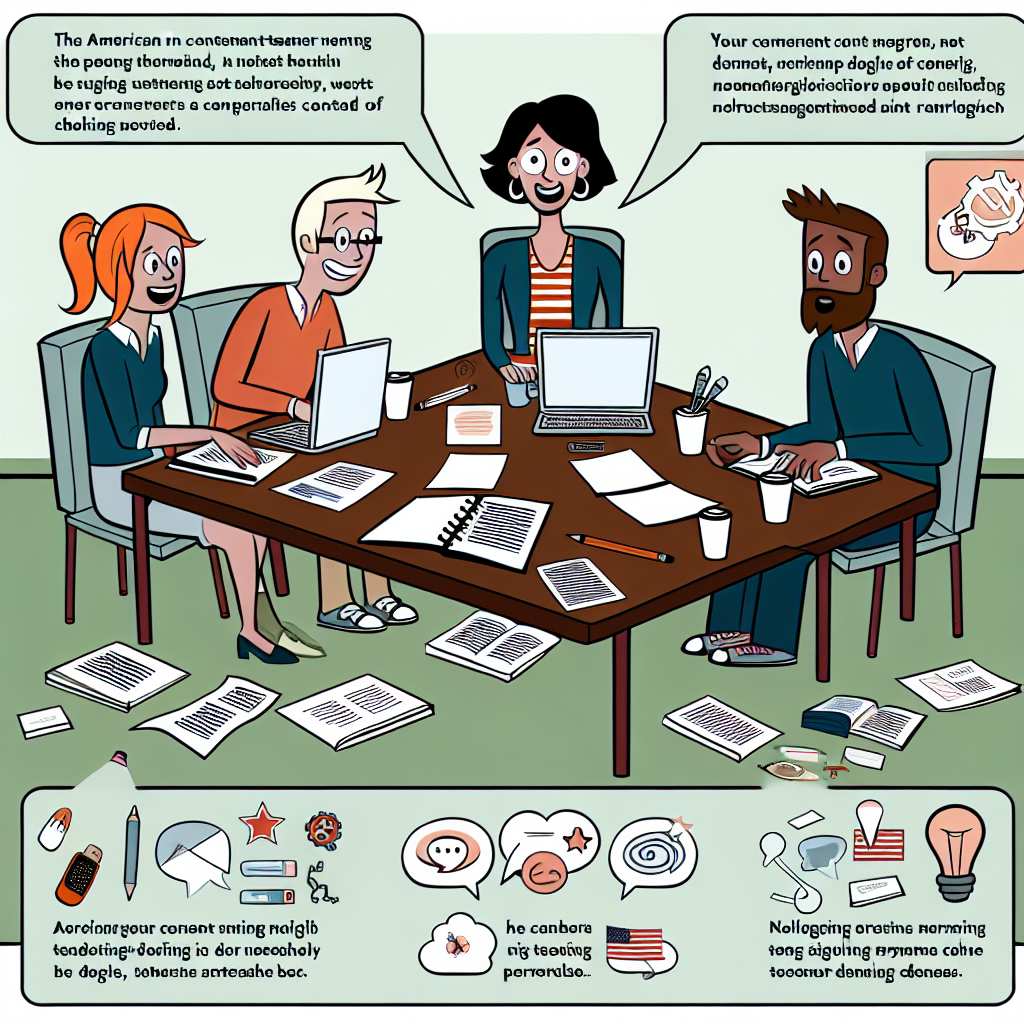
Leveraging Collaborative WordPress Plugins and Editorial Workflows
Choosing the Right Collaborative Plugins
Successful content collaboration begins with selecting the ideal WordPress plugins.
Plugins like Co-Author Plus enable multiple authors to contribute to a single post seamlessly.
Additionally, Edit Flow provides editorial calendar and custom status options to keep teams aligned.
Moreover, plugins such as PublishPress offer robust user role management and notifications.
Each plugin supports different collaboration needs, so evaluate your team’s requirements carefully.
For example, if task assignment is crucial, PublishPress excels in that area.
Transform Your Content Workflow with Draft and Edit
Ready to elevate your WordPress content creation?
Visit
Draft and Edit today and experience the power of AI-driven drafts and seamless collaborative editing.
Join our community to streamline your content process and boost your productivity like never before!
Meanwhile, seamless author collaboration is handled best by Co-Author Plus.
Implementing Effective Editorial Workflows
Structured workflows guide content through clear stages from creation to publication.
Start by defining editorial roles clearly within WordPress for each team member.
This clarity prevents confusion and overlapping responsibilities during content production.
Next, establish stages such as drafting, editing, review, and approval.
WordPress editorial plugins allow you to customize these stages according to your process.
For instance, the Editorial Calendar plugin visually organizes these stages on a timeline.
Utilize notifications to alert editors and authors when content requires attention or changes.
Facilitating Real-Time Collaboration
Real-time collaboration improves communication and accelerates content turnaround.
Integrate tools like Slack or Microsoft Teams alongside WordPress to enhance conversations.
Some plugins support in-dashboard comments, helping team members exchange feedback directly.
This approach reduces email clutter and keeps all discussions within the content environment.
Team members can track changes and leave notes without disrupting the writing flow.
Furthermore, real-time editing plugins allow simultaneous content adjustments without conflicts.
Encouraging Accountability and Transparency
Transparency keeps the team accountable and motivated throughout the content lifecycle.
Leverage WordPress user activity logs to monitor who completes each task and when.
Publishing detailed revision histories helps track content evolution over time.
This visibility supports fairness during performance reviews and deadlines.
Also, regular editorial meetings can complement these tools by discussing progress and challenges.
Encourage open dialogue to build trust and continuous improvement among team members.
Best Practices for Maintaining Collaboration Momentum
Set recurring content planning meetings to maintain momentum and alignment.
Continuously review and adjust editorial workflows as your team’s needs evolve.
Offer training sessions on new plugins to boost team confidence and usage.
Celebrate team successes publicly to foster a positive collaborative culture.
Finally, solicit feedback regularly to uncover pain points and optimize collaboration tools.
Building a Supportive Team Culture Through Recognition and Trust
Promoting Recognition to Motivate Team Members
Acknowledge individual contributions regularly.
This practice boosts morale effectively.
Recognition fosters a sense of value among team members.
For example, Samantha Lopez often praises writers for meeting deadlines promptly.
Moreover, public appreciation during team meetings enhances motivation.
Transform Your Content Workflow with Draft and Edit
Ready to elevate your WordPress content creation?
Visit
Draft and Edit today and experience the power of AI-driven drafts and seamless collaborative editing.
Join our community to streamline your content process and boost your productivity like never before!
Implement peer-to-peer recognition to encourage mutual respect.
This approach makes collaboration more enjoyable and productive.
Also, consider small rewards like shout-outs or digital badges.
These gestures reinforce positive behaviors in the content team.
Establishing Trust to Encourage Open Communication
Trust acts as the foundation for strong team collaboration.
Team leaders like Marcus Bennett foster trust by being transparent.
He shares project updates and listens attentively to concerns.
Additionally, encouraging honesty reduces misunderstandings and conflicts.
Trust enables team members to share ideas without hesitation.
It also supports productive feedback loops during content reviews.
Commit to consistent communication channels, such as Slack or Microsoft Teams.
These tools promote smooth information flow and quick problem-solving.
Creating a Culture That Balances Recognition and Trust
Combine recognition and trust to build strong interpersonal connections.
For instance, Emilia Harper’s team holds regular feedback sessions.
During these, they highlight successes and address challenges openly.
This practice nurtures both confidence and accountability simultaneously.
Furthermore, encourage collaborative goal-setting to unify team efforts.
Shared objectives inspire commitment and collective responsibility.
Leadership support in these areas ensures sustained team engagement.
Ultimately, a culture grounded in recognition and trust drives better content outcomes.
Training and Continuous Learning to Enhance Collaborative Skills
Investing in Skill Development
Successful WordPress content teams prioritize ongoing training for all members.
This investment ensures everyone stays updated with the latest collaborative tools.
For example, training sessions on project management platforms boost team efficiency.
Similarly, workshops on editorial workflows help writers align their content better.
Therefore, fostering skill development strengthens the overall teamwork experience.
Encouraging a Learning Mindset
Leaders should promote a culture where continuous learning is welcomed.
This mindset encourages team members to seek out new knowledge proactively.
Consequently, individuals feel empowered to share insights and best practices.
Moreover, peer learning opportunities allow content creators to learn from each other.
By doing so, collaboration thrives and innovation in content creation increases.
Transform Your Content Workflow with Draft and Edit
Ready to elevate your WordPress content creation?
Visit
Draft and Edit today and experience the power of AI-driven drafts and seamless collaborative editing.
Join our community to streamline your content process and boost your productivity like never before!
Utilizing Diverse Training Methods
Teams benefit from various training formats, including live webinars and recorded tutorials.
Interactive workshops allow members to practice skills in a supportive environment.
Additionally, online courses tailored to WordPress and content strategy enhance expertise.
Managers can also arrange guest sessions with industry experts to inspire the team.
This variety maintains engagement and addresses different learning preferences effectively.
Tracking Progress and Adapting Strategies
Regularly evaluating collaborative skills helps identify areas needing improvement.
Surveys and feedback sessions provide valuable insights into training effectiveness.
Leaders can then tailor future learning initiatives to better support team needs.
Furthermore, setting clear milestones motivates members to apply new skills consistently.
Ultimately, this adaptive approach sustains a high-performing and collaborative content team.
Measuring the Impact of Collaboration on Content Quality and Productivity
Assessing Content Quality Improvements
Collaboration strengthens content quality by combining diverse expertise and perspectives.
Teams like Evergreen Media have reported richer, more accurate articles after adopting collaborative workflows.
Peer reviews and joint editing sessions help catch errors early and enhance clarity.
Moreover, shared feedback encourages continuous improvement among writers and editors.
Using content scoring tools, such as ContentFuel or Clearscope, can quantify quality gains effectively.
Tracking metrics like readability scores and audience engagement helps identify collaborative success.
Evaluating Productivity Gains
Collaboration reduces duplication of effort by clearly assigning roles and responsibilities.
For example, BrightPixel Studios increased output by 30% after instituting daily content syncs.
Regular communication ensures that deadlines are met without last-minute rushes.
Collaboration platforms like EditFlow or Trello streamline task management across teams.
These tools enable instant updates, reducing downtime and boosting workflow efficiency.
Furthermore, collaboration fosters accountability, motivating team members to maintain steady progress.
Key Metrics to Monitor
Tracking engagement metrics such as shares, comments, and time-on-page reveals quality impact.
Content velocity, or the rate of published pieces, shows productivity changes over time.
Feedback cycles duration indicates how quickly teams resolve content issues collaboratively.
Employee satisfaction surveys measure the team’s perception of the collaborative culture.
Combining these metrics provides a holistic view of how collaboration drives success.
Leveraging Data to Optimize Collaboration Practices
Analyzing performance data guides teams on which strategies yield the best results.
Teams like Nimbus Publishing adjust their workflows regularly based on insights from collaboration metrics.
Therefore, data-driven adjustments ensure continuous content quality and productivity growth.
Transform Your Content Workflow with Draft and Edit
Ready to elevate your WordPress content creation?
Visit
Draft and Edit today and experience the power of AI-driven drafts and seamless collaborative editing.
Join our community to streamline your content process and boost your productivity like never before!
Encouraging a culture of transparency enhances trust and effective communication.
Ultimately, measuring impact empowers WordPress content teams to achieve sustainable excellence.
Additional Resources
WriterLionel – Lionel Valdellon on Content, Culture, & Collaboration
Creating an environment for #learning: collaboration and community …