

Understanding the Importance of Collaboration in WordPress
The Value of Teamwork
Collaboration enhances the quality of work produced in WordPress projects.
When individuals with diverse skills unite, the results are often superior.
This synergy fosters creativity and innovation.
Effective teamwork leads to faster problem-solving.
Additionally, it creates a sense of community among team members.
Improving Communication
Clear communication is vital in any collaborative effort.
Using WordPress, teams can utilize various tools for better interaction.
Platforms like Slack and Trello streamline discussions and tasks.
Regular updates help keep everyone aligned on project goals.
This minimizes misunderstandings and errors.
Leveraging Diverse Skill Sets
Every team member brings unique skills to the table.
Some may excel in design, while others shine in content creation.
Such diversity can lead to more comprehensive solutions.
With collaboration, teams can leverage these skills effectively.
This results in a well-rounded final product.
Encouraging Feedback and Iteration
Collaboration encourages a culture of feedback among team members.
Constructive criticism can significantly improve project outcomes.
Iterative processes allow teams to refine their work continuously.
With WordPress, teams can quickly implement changes based on feedback.
This agility helps in adapting to changing requirements.
Building Stronger Relationships
Collaborative work builds trust and camaraderie among team members.
Strong relationships enhance motivation and productivity.
When team members feel supported, they are more likely to contribute actively.
WordPress projects often require a long-term commitment, which relationships can strengthen.
Ultimately, a cohesive team will work more efficiently and effectively.
Identifying Key Roles in a WordPress Team
Understanding Core Team Positions
Effective WordPress collaboration begins with clear role identification.
Each team member fulfills specific responsibilities to drive project success.
Knowing these roles reduces overlap and enhances workflow efficiency.
Moreover, a defined structure enables faster decision-making and accountability.
Essential Roles and Their Responsibilities
Project Manager
The project manager oversees timelines and resource allocation.
Transform Your Content Workflow with Draft and Edit
Ready to elevate your WordPress content creation?
Visit
Draft and Edit today and experience the power of AI-driven drafts and seamless collaborative editing.
Join our community to streamline your content process and boost your productivity like never before!
They coordinate communication between team members and stakeholders.
Additionally, they track progress and manage potential risks.
WordPress Developer
Developers focus on building and customizing themes and plugins.
They ensure the site functions smoothly and meets client requirements.
Also, they address technical issues and optimize performance regularly.
Content Strategist
Content strategists plan the website’s information and messaging.
They create schedules and establish content guidelines for consistency.
Furthermore, they analyze audience needs to improve engagement.
Designer
Designers craft the visual elements and user interface of the site.
They ensure the website is attractive, accessible, and user-friendly.
Collaboration with developers guarantees design feasibility and responsiveness.
Quality Assurance Specialist
QA specialists test the site for bugs and usability problems.
They verify that features work correctly across different devices and browsers.
Timely feedback from QA improves site reliability and user experience.
Supporting Roles That Enhance Collaboration
SEO Specialist
SEO specialists optimize content and structure for search engines.
They implement strategies to increase organic traffic effectively.
This role works closely with content and development teams to align goals.
Site Administrator
Administrators manage user roles and site security settings.
They handle backups, updates, and performance monitoring.
Administrators ensure the site stays stable and secure at all times.
Marketing Coordinator
Marketing coordinators plan promotional campaigns and social media activities.
They analyze user data to guide future marketing efforts.
Close integration with content strategists supports brand consistency.
Creating an Effective Collaborative Culture
Clearly defined roles empower team members to take ownership.
Open communication channels foster trust and efficient problem-solving.
Regular meetings align the team and address evolving project needs.
Finally, mutual respect and recognition motivate high performance from all.
Effective Communication Strategies for WordPress Collaboration
Establish Clear Communication Channels
Successful collaboration starts with clear communication channels.
Teams at Silverline Studios use Slack to keep messages organized.
This approach allows quick responses and reduces email overload.
Transform Your Content Workflow with Draft and Edit
Ready to elevate your WordPress content creation?
Visit
Draft and Edit today and experience the power of AI-driven drafts and seamless collaborative editing.
Join our community to streamline your content process and boost your productivity like never before!
Moreover, integrating Slack with WordPress notifications improves workflow visibility.
Additionally, regular video calls via Zoom keep development teams aligned.
Encourage Transparent and Timely Updates
Transparency builds trust among team members.
Marketing experts at Greenwave Solutions share progress openly on shared Trello boards.
This method helps everyone track content creation and publication deadlines.
Timely updates prevent overlapping work and confusion.
Furthermore, WordPress activity logs help monitor content edits efficiently.
Implement Clear Role Definitions and Responsibilities
Assign distinct roles to each contributor within WordPress.
For example, editors like Mia Chen manage approvals, while developers like Carlos Reyes handle code updates.
Clear roles prevent duplicated efforts and ensure accountability.
Team leads at Lumina Creatives regularly review role assignments to adapt to project changes.
Use Collaborative Tools Integrated with WordPress
Leveraging plugins like Edit Flow streamlines editorial communication.
It allows content calendars, status updates, and comments within WordPress.
Furthermore, integration with Google Docs lets writers draft content collaboratively before publishing.
This reduces friction and keeps the team in sync throughout the writing process.
Promote Active Listening and Open Feedback
Encourage team members to listen actively during meetings and discussions.
Feedback sessions at Horizon Media encourage open dialogue without judgment.
This culture improves ideas and solves challenges faster.
Using WordPress comments for collaborative review fosters constructive criticism.
Standardize Communication Practices
Consistent communication fosters clarity and efficiency.
At BrightPath Digital, every meeting follows an agenda shared beforehand.
Email updates use templates to highlight critical information quickly.
Standardizing messages and reports reduces misunderstandings and saves time.
Address Conflict Promptly and Professionally
Conflicts may arise during collaboration but must be resolved quickly.
Team member Raj Patel suggests addressing issues in private conversations.
Setting ground rules promotes respectful and solution-oriented discussions.
Resolving misunderstandings early prevents bigger setbacks later on.
You Might Also Like: How to Handle Content Scheduling and Approvals in WordPress
Utilizing WordPress Plugins to Enhance Team Workflow
Choosing the Right Collaboration Plugins
WordPress offers numerous plugins designed to improve team collaboration.
Start by identifying your team’s specific workflow needs and challenges.
Transform Your Content Workflow with Draft and Edit
Ready to elevate your WordPress content creation?
Visit
Draft and Edit today and experience the power of AI-driven drafts and seamless collaborative editing.
Join our community to streamline your content process and boost your productivity like never before!
Next, consider plugins that streamline communication and task management.
For example, tools like Co-Authors Plus enable multiple contributors on posts.
Additionally, Edit Flow helps coordinate editorial calendars efficiently.
These plugins streamline content planning and reduce miscommunication.
Improving Communication Through Integrated Tools
Effective communication is essential for enhancing team productivity.
Plugins such as Slack integrations keep all team members connected instantly.
With these integrations, conversations happen alongside content work.
Therefore, teams avoid switching between multiple platforms unnecessarily.
Moreover, plugins like WP Project Manager offer built-in messaging features.
They keep discussions organized by projects and deadlines.
Streamlining Task Management and Workflow
Task management plugins simplify assignment and tracking of responsibilities.
For instance, Kanban boards visually display progress across different tasks.
This helps project managers like Sophia at BrightWave Media monitor workloads.
Furthermore, automating notifications reduces delays in task completion.
Plugins like TaskBreaker send reminders and update statuses automatically.
Consequently, teams maintain momentum and meet deadlines effectively.
Enhancing Document Collaboration and Version Control
Collaborative document editing prevents version conflicts and data loss.
Plugins such as WP Document Revisions track changes made by different users.
They allow team members like Aaron from ClearPath Studios to review edits carefully.
Meanwhile, integration with third-party editors like Google Docs boosts flexibility.
This combination ensures the most updated content is always available.
Hence, your team can focus on creating high-quality content together seamlessly.
Maintaining Security and Access Control for Collaborative Work
Maintaining secure access to content is vital for team collaboration.
Role management plugins allow administrators to assign precise permissions.
For example, User Role Editor lets website owners restrict editing rights sensibly.
This prevents accidental content changes or unauthorized access.
Additionally, audit trail plugins log user activities for monitoring purposes.
Therefore, agencies like Stellar Interactive can maintain accountability and trust.
You Might Also Like: How to Build an Effective WordPress Content Team
Establishing Clear Goals and Objectives for Projects
Defining Project Goals Effectively
Clear goals set the foundation for successful collaboration on WordPress projects.
Transform Your Content Workflow with Draft and Edit
Ready to elevate your WordPress content creation?
Visit
Draft and Edit today and experience the power of AI-driven drafts and seamless collaborative editing.
Join our community to streamline your content process and boost your productivity like never before!
They provide everyone with a shared understanding of the project’s purpose.
Firstly, identify what your team aims to achieve by the project’s end.
Also, ensure goals are specific to avoid confusion among team members.
Using measurable goals helps track progress and maintain focus.
For example, instead of “improve site design,” state “redesign homepage by April 30.”
This clarity motivates contributors and directs their efforts productively.
Establishing Objectives to Support Goals
Objectives break down goals into actionable steps.
They clarify responsibilities and deadlines for each part of the project.
Moreover, objectives encourage accountability within the team.
Create objectives that are realistic and achievable within set timeframes.
Use collaborative tools such as Trello or Asana to organize and assign objectives.
This transparency keeps everyone informed about ongoing tasks and priorities.
Consequently, your team can quickly identify and address potential obstacles.
Communicating Goals and Objectives Clearly
Clear communication ensures all members understand project expectations.
Regular meetings and updates help reinforce goals and objectives.
Additionally, use WordPress internal notes or project management plugins for reminders.
Encourage team feedback to clarify any uncertainties promptly.
By doing so, you foster a collaborative environment that values transparency.
This approach reduces miscommunication and aligns efforts towards common targets.
Aligning Team Roles with Project Objectives
Assign roles based on team members’ strengths and expertise.
Clarify how individual contributions impact the overall project goals.
For instance, designate content creators, designers, and developers strategically.
Regularly review role assignments to adapt to project changes.
Such alignment enhances efficiency and boosts team morale.
Ultimately, everyone works purposefully, driving the project to successful completion.
Find Out More: How to Use WordPress to Enhance Remote Team Collaboration
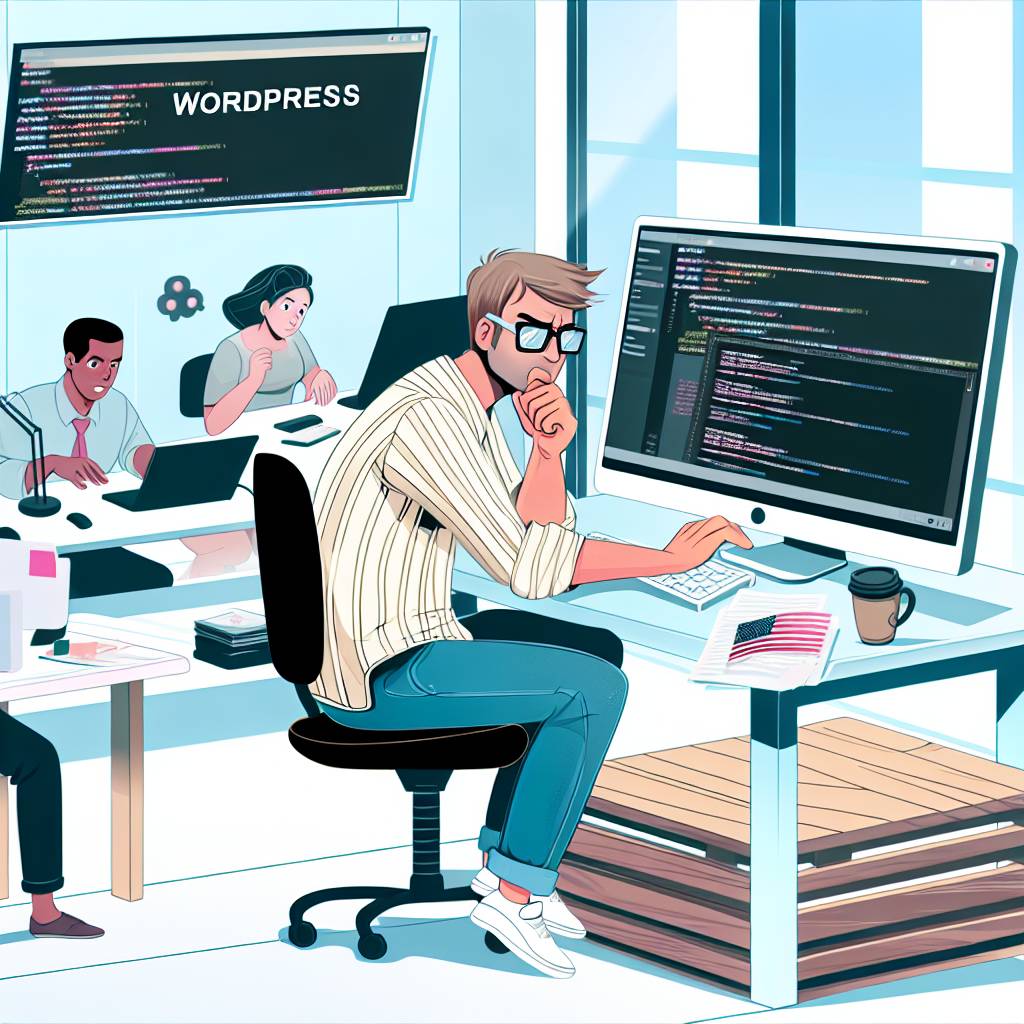
Implementing Version Control for Team Projects
Benefits of Version Control in WordPress Collaboration
Version control streamlines teamwork by tracking every change efficiently.
It helps avoid conflicts when multiple members edit the same content.
Moreover, it provides a history of edits, allowing easy rollback if needed.
Consequently, teams can maintain higher accuracy and consistency in projects.
Transform Your Content Workflow with Draft and Edit
Ready to elevate your WordPress content creation?
Visit
Draft and Edit today and experience the power of AI-driven drafts and seamless collaborative editing.
Join our community to streamline your content process and boost your productivity like never before!
It also boosts accountability by showing who made specific changes.
Choosing the Right Version Control System
Git remains the most popular version control system for developers worldwide.
Its compatibility with WordPress environments makes it a solid choice.
Alternatively, tools like Subversion offer simplicity for less complex workflows.
Platforms such as GitHub and GitLab enhance collaboration with additional features.
Therefore, evaluate your team’s needs before selecting a system.
Integrating Version Control with WordPress
Begin by setting up a repository that includes your WordPress theme and plugin files.
Ensure media uploads and other large files are managed separately to optimize performance.
Use branches to isolate feature development from the main production site.
Regularly merge branches and resolve conflicts promptly to stay synchronized.
Deploy changes via continuous integration tools for smoother updates.
Best Practices for Using Version Control in Teams
Establish clear naming conventions for branches and commit messages.
Encourage frequent commits to capture small, manageable changes.
Review code or content changes collaboratively before merging to reduce errors.
Document workflows clearly so all team members understand expectations.
Leverage pull requests and code reviews to promote quality and learning.
Tools to Enhance Version Control Workflow
Plugins like WP Pusher allow direct deployment of themes and plugins from Git.
Desktop clients such as Tower simplify Git operations for non-technical team members.
Integration with task management systems keeps development aligned with project goals.
Additionally, automated testing tools can prevent faulty code from reaching production.
Combining these tools enhances productivity and reduces manual errors.
Uncover the Details: Practical Tips for Effective WordPress Content Collaboration
Best Practices for Content Reviews and Edits Among Team Members
Establishing Clear Communication Channels
Effective collaboration begins with clear communication.
Teams should use dedicated channels like Slack or Microsoft Teams.
This approach minimizes confusion and accelerates feedback.
Moreover, integrating these channels with WordPress notifications improves responsiveness.
For instance, Alicia from ClearWeb recommends setting up topic-specific threads.
This way, discussions stay organized and relevant to each content piece.
Assigning Specific Roles and Responsibilities
Clarity in roles helps each member focus on their tasks.
A content strategist can guide the overall theme and tone.
Transform Your Content Workflow with Draft and Edit
Ready to elevate your WordPress content creation?
Visit
Draft and Edit today and experience the power of AI-driven drafts and seamless collaborative editing.
Join our community to streamline your content process and boost your productivity like never before!
Editors like Marco ensure grammar and style consistency across articles.
Meanwhile, reviewers such as Nina focus on factual accuracy and SEO.
Additionally, WordPress user permissions help restrict editing rights appropriately.
Therefore, teams avoid accidental overwrites or conflicts during collaboration.
Using WordPress Tools for Streamlined Reviews
WordPress offers built-in features that ease content reviews.
For example, the Revision History tracks all changes made to posts.
This feature lets editors like Mei compare versions and restore previous drafts.
Furthermore, plugins such as Edit Flow provide editorial comments and status updates.
These tools foster transparent teamwork and reduce email overload.
Implementing a Structured Review Process
A defined workflow ensures all content passes quality checks.
It typically starts with the author submitting a draft for initial feedback.
After receiving comments, the author revises the content accordingly.
Then, a senior editor conducts a final review before publication.
It helps to set deadlines for each review stage to maintain momentum.
Moreover, regular check-ins, like weekly editorial meetings, support continuous improvement.
Providing Constructive and Timely Feedback
Feedback should always focus on content quality and clarity.
Reviewers must point out specific areas for improvement.
At the same time, they should acknowledge well-executed sections to motivate authors.
Timely responses keep the content development schedule on track.
To illustrate, Lucas from StudioForge sets a 48-hour response window for all edits.
This practice helps teams meet publishing deadlines efficiently.
Maintaining Version Control and Documentation
Proper version control prevents loss of important content changes.
Teams should label document versions clearly with dates or update notes.
Additionally, keeping a shared log of edits promotes accountability.
For example, Rachel’s agency uses Google Docs alongside WordPress for comprehensive records.
As a result, all members track progress and rationale behind edits transparently.
Fostering a Collaborative Culture within the Team
Encouraging Open Communication
Open communication forms the foundation of a collaborative team culture.
Team members should feel safe sharing ideas without fear of judgment.
Regular check-ins help maintain transparent and effective dialogue.
Moreover, active listening ensures everyone’s voice is heard and valued.
Transform Your Content Workflow with Draft and Edit
Ready to elevate your WordPress content creation?
Visit
Draft and Edit today and experience the power of AI-driven drafts and seamless collaborative editing.
Join our community to streamline your content process and boost your productivity like never before!
To facilitate this, use tools like Slack or Microsoft Teams for instant messaging.
Building Trust and Respect
Trust among team members boosts collaboration significantly.
Respecting different perspectives encourages diverse problem-solving approaches.
Managers must lead by example to foster mutual respect.
Additionally, acknowledging individual contributions motivates the entire team.
Create opportunities for informal interactions to strengthen trust bonds.
Defining Clear Roles and Responsibilities
Clarity in roles reduces confusion and overlapping efforts.
Every team member should understand their specific tasks and expectations.
Clearly defined responsibilities increase accountability and productivity.
Furthermore, outlining goals helps align individual efforts with the team’s objectives.
Use a shared WordPress project board to track tasks and deadlines efficiently.
Promoting Collaborative Problem Solving
Collaboration thrives when teams solve problems collectively.
Encourage brainstorming sessions to generate multiple solutions.
Use WordPress collaboration plugins to facilitate real-time document editing.
Also, maintain a positive attitude toward constructive feedback and iteration.
This practice enhances innovation and accelerates project completion.
Recognizing and Celebrating Team Efforts
Recognition of achievements fosters motivation and team spirit.
Celebrate both small wins and major milestones regularly.
Public appreciation in meetings or newsletters boosts morale.
Moreover, rewarding collaboration encourages continuous teamwork.
Consider using badges or shout-outs within digital platforms for visibility.
Additional Resources
Fixed-Schedule Productivity: How I Accomplish a Large Amount of …