

Understanding the Importance of a Content Approval Process in WordPress
Ensuring Quality and Consistency
A solid content approval process maintains high-quality standards for your website.
It helps avoid errors.
It prevents inaccuracies.
It also stops inconsistent messaging.
Moreover, every published piece aligns with the brand’s voice and guidelines.
Readers receive reliable information consistently.
They also get professional information regularly.
Enhancing Collaboration and Accountability
A clear approval workflow facilitates collaboration among writers, editors, and managers.
Each team member understands their role and responsibilities in the content creation cycle.
This clarity reduces confusion.
It also streamlines communication between departments.
Consequently, the team works more efficiently.
They produce better results overall.
Protecting Brand Reputation and Compliance
Content approval minimizes the chances of publishing misleading material.
It also prevents inappropriate material from being published.
Additionally, it ensures compliance with legal regulations.
It guarantees compliance with industry regulations.
Reviewers check for copyright issues.
They verify privacy concerns.
Reviewers confirm factual accuracy before publishing.
This careful scrutiny protects the brand’s reputation.
It also builds trust with the audience.
Saving Time and Reducing Rework
By catching mistakes early, a content approval process saves time in the long run.
It prevents multiple rounds of revisions after publication.
Additionally, it helps teams launch campaigns on schedule without delays.
It also supports timely updates.
Hence, businesses maintain a steady flow of fresh content.
They provide accurate content continuously for their users.
Defining Roles and Permissions for Content Creators, Editors, and Approvers
Clarifying Role Responsibilities
Content creators focus on producing fresh and engaging articles.
They draft initial versions and submit them for review.
Transform Your Content Workflow with Draft and Edit
Ready to elevate your WordPress content creation?
Visit
Draft and Edit today and experience the power of AI-driven drafts and seamless collaborative editing.
Join our community to streamline your content process and boost your productivity like never before!
Editors review submissions to enhance quality and consistency.
They revise content and ensure brand voice alignment.
Approvers have the final say before publication.
They verify compliance with company policies and objectives.
Assigning Permissions in WordPress
WordPress supports customized roles through its user management system.
Assigning specific permissions limits what each role can access.
Content creators usually receive permissions to write and edit their posts only.
Editors gain additional rights to modify others’ posts and manage categories.
Approvers, often administrators or managers, can publish and delete posts.
Using Plugins to Enhance Role Management
Plugins like PublishPress and User Role Editor extend WordPress capabilities.
They allow granular control over user permissions and workflow settings.
These tools make assigning and modifying roles straightforward for administrators.
Additionally, they help track content status throughout the approval cycle.
Best Practices for Defining Roles and Permissions
- Define clear responsibilities for every content contributor.
- Limit permissions to reduce errors and accidental publishing.
- Maintain transparency in the approval workflow to streamline communication.
- Review role settings regularly to adapt to evolving team needs.
By defining precise roles and permissions, teams avoid confusion and improve efficiency.
Choosing the right WordPress plugins to facilitate content approval workflows
Evaluating the needs of your content team
Begin by assessing your team’s size and workflow complexity.
This evaluation helps identify the specific approval features you need.
For example, small teams may require basic approval notifications.
Meanwhile, larger organizations often need multi-stage workflows and detailed audit logs.
Clearly defining your needs simplifies plugin selection significantly.
Key features to look for in approval plugins
Choose plugins that enable user roles and permissions control efficiently.
They should allow automatic notifications upon content submission or approval.
Integration with WordPress editor screens streamlines the content process.
Some plugins provide visual workflow builders, enhancing process management.
Also, check if the plugin supports revision tracking for audit purposes.
Compatibility with popular page builders like Elementor or Beaver Builder is beneficial.
Popular WordPress plugins for content approval
Odelia Content Manager offers flexible workflow stages tailored for editorial teams.
Its intuitive interface allows assigning approvers to specific content types.
EditFlow provides editorial calendar integration and workload management.
Additionally, it supports comments and notifications for clear communication.
PublishPress Permissions lets you control who can edit and publish content precisely.
Transform Your Content Workflow with Draft and Edit
Ready to elevate your WordPress content creation?
Visit
Draft and Edit today and experience the power of AI-driven drafts and seamless collaborative editing.
Join our community to streamline your content process and boost your productivity like never before!
This plugin includes detailed revision histories to maintain transparency.
WP Approve Content is lightweight and perfect for simple approval needs.
It sends email alerts whenever content requires review from editors.
Considering plugin compatibility and support
Verify that the plugin is regularly updated and compatible with your WordPress version.
Check user reviews to gauge reliability and developer responsiveness.
Moreover, ensure the plugin works well with your existing plugins and theme.
If your site uses custom post types, confirm the plugin supports them too.
Good documentation and active support channels improve your implementation experience.
Testing plugins before full deployment
Install and test plugins in a staging environment first to avoid site disruptions.
Simulate real content approval scenarios with your team members involved.
This practice helps reveal potential workflow gaps or usability issues early.
Gather feedback and adjust settings or try alternative plugins if necessary.
Finally, choose the plugin that best aligns with your needs and team preferences.
See Related Content: Building a Collaborative WordPress Team: Roles and Responsibilities
Setting up Custom Workflow Stages for Draft, Review, Revision, and Approval
Defining the Workflow Stages
Creating clear workflow stages helps streamline content management in WordPress.
Start by outlining four essential stages: draft, review, revision, and approval.
Each stage represents a critical step in the content creation process.
Designing these stages ensures every article undergoes thorough evaluation.
By doing so, teams can maintain high-quality standards consistently.
Implementing the Draft Stage
The draft stage marks the initial content creation phase.
Writers like Amanda Hughes draft their ideas within this stage.
At this point, content remains private and editable.
Using custom statuses, authors can save drafts without publishing.
Consequently, it provides flexibility before moving forward.
Facilitating the Review Stage
Next, the review stage allows editors to evaluate draft content.
Editors such as Nathan Cole perform initial assessments here.
They check for clarity, accuracy, and adherence to guidelines.
Custom workflows enable assigning review tasks to specific team members.
This step ensures the content meets editorial standards before revisions.
Managing the Revision Stage
The revision stage involves making necessary changes based on feedback.
Transform Your Content Workflow with Draft and Edit
Ready to elevate your WordPress content creation?
Visit
Draft and Edit today and experience the power of AI-driven drafts and seamless collaborative editing.
Join our community to streamline your content process and boost your productivity like never before!
Writers receive comments and suggestions from reviewers like Sarah Mitchell.
They then update their drafts accordingly within this stage.
WordPress plugins can automate notifications for revision requests.
Thus, communication flows smoothly between writers and editors.
Finalizing the Approval Stage
The approval stage confirms content readiness for publication.
Senior editors such as Daniel Lee review the final version at this step.
Once approved, the content moves to the published state automatically.
Implementing this stage reduces risks of publishing errors or incomplete articles.
Finally, the process ensures accountability and content quality assurance.
Using WordPress Tools to Create Custom Workflows
WordPress offers several plugins to customize status workflows efficiently.
For example, PublishFlow and EditFlow provide flexible stage management.
They allow creating and naming custom statuses like draft, review, revision, and approval.
Additionally, these plugins support role-based permissions and notifications.
Such features enhance collaboration and transparency during content creation.
Best Practices for Workflow Stage Configuration
Define clear roles and responsibilities for each workflow stage participant.
Communicate stage definitions and expectations to all team members.
Use color-coded labels or indicators for quick stage identification.
Regularly review and update workflow stages to reflect team needs.
Integrate workflow stages with editorial calendars to improve scheduling.
Delve into the Subject: Boosting Productivity: How to Collaborate Better on WordPress
Implementing Notifications and Reminders for Pending Content Approvals
Setting Up Automated Email Notifications
Email notifications keep your team informed about pending content requiring approval.
First, select a WordPress plugin that supports content approval workflows with notification features.
For example, the “Content Approval Manager” plugin effectively sends automated emails to designated editors.
Next, configure notification triggers to alert users immediately after content submission.
Additionally, customize the email content to include relevant post titles and authors.
This approach helps editors quickly identify what content needs their attention.
Furthermore, ensure emails include direct links to the approval interface for easy access.
Integrating with SMTP services improves email deliverability and reduces missed messages.
Using Dashboard Alerts for Timely Reminders
Dashboard alerts provide visible reminders directly inside the WordPress admin panel.
Install a plugin like “Admin Notices Scheduler” to create customizable alerts for pending approvals.
Transform Your Content Workflow with Draft and Edit
Ready to elevate your WordPress content creation?
Visit
Draft and Edit today and experience the power of AI-driven drafts and seamless collaborative editing.
Join our community to streamline your content process and boost your productivity like never before!
Configure alerts to appear for users with approval privileges each time they log in.
Moreover, adjust the frequency and visibility settings to prevent alert fatigue among editors.
These reminders keep content approvals top of mind during daily workflow tasks.
Emails and dashboard alerts together ensure multiple touchpoints for pending tasks.
Scheduling Recurring Reminders for Overdue Approvals
Recurring reminders promote accountability by nudging editors on overdue approvals.
Use task scheduling plugins such as “WP Crontrol” to set periodic checks on pending items.
Once an approval is overdue, configure system-generated reminders to escalate urgency.
For instance, reminders can increase in frequency after 24, 48, and 72 hours without action.
This escalation prevents bottlenecks and helps maintain publishing schedules.
Also, designate a supervisor or manager to receive summary reports of overdue approvals.
These reports highlight where further intervention may be necessary to keep content moving.
Best Practices for Effective Notification Systems
Maintain clear and concise messaging in all notifications to avoid confusion.
Allow users to customize notification preferences for better engagement.
Regularly review notification logs to identify any missed or delayed alerts.
Test your notification system after setup to ensure emails and alerts function correctly.
Train your content team on recognizing and responding promptly to notifications.
Learn More: How to Handle Content Scheduling and Approvals in WordPress
Establishing Content Standards and Guidelines for Consistent Quality
Defining Clear Quality Expectations
Setting clear content standards helps maintain high quality across all posts.
Publishers like Redwood Publishing create detailed style guides for writers and editors.
These guides outline tone, language, and formatting preferences.
Additionally, they specify acceptable content structures to enhance readability.
Thus, authors know exactly what is expected in each submission.
Implementing Editorial Guidelines
Editorial guidelines ensure consistency in voice and style across contributors.
For example, Sterling Publishing requires active voice and concise sentences.
They also demand fact-checking to uphold credibility and trust.
Furthermore, they set rules for sourcing and citation formats.
This approach reduces errors and strengthens content integrity.
Utilizing Checklists for Content Review
Checklists help editors confirm adherence to standards before approval.
Oakridge Digital uses checklists covering grammar, SEO, and compliance.
They encourage reviewers to verify keyword usage and meta descriptions.
Moreover, spelling and grammar accuracy are mandatory checklist items.
Consequently, the final product meets both editorial and marketing goals.
Training Team Members on Standards
Regular training sessions keep teams updated on evolving standards.
Brightgate Studios holds workshops to align writers and editors.
They focus on writing techniques and company-specific style rules.
Transform Your Content Workflow with Draft and Edit
Ready to elevate your WordPress content creation?
Visit
Draft and Edit today and experience the power of AI-driven drafts and seamless collaborative editing.
Join our community to streamline your content process and boost your productivity like never before!
Besides, training reinforces accountability and quality ownership.
As a result, content quality remains consistently excellent over time.
Reviewing and Updating Guidelines Periodically
Content standards should evolve along with industry trends.
For instance, Horizon Media reviews their guidelines quarterly.
They incorporate feedback from content creators and audience metrics.
This process ensures guidelines stay relevant and effective.
Ultimately, it fosters continuous improvement in quality and engagement.
Learn More: How to Build an Effective WordPress Content Team
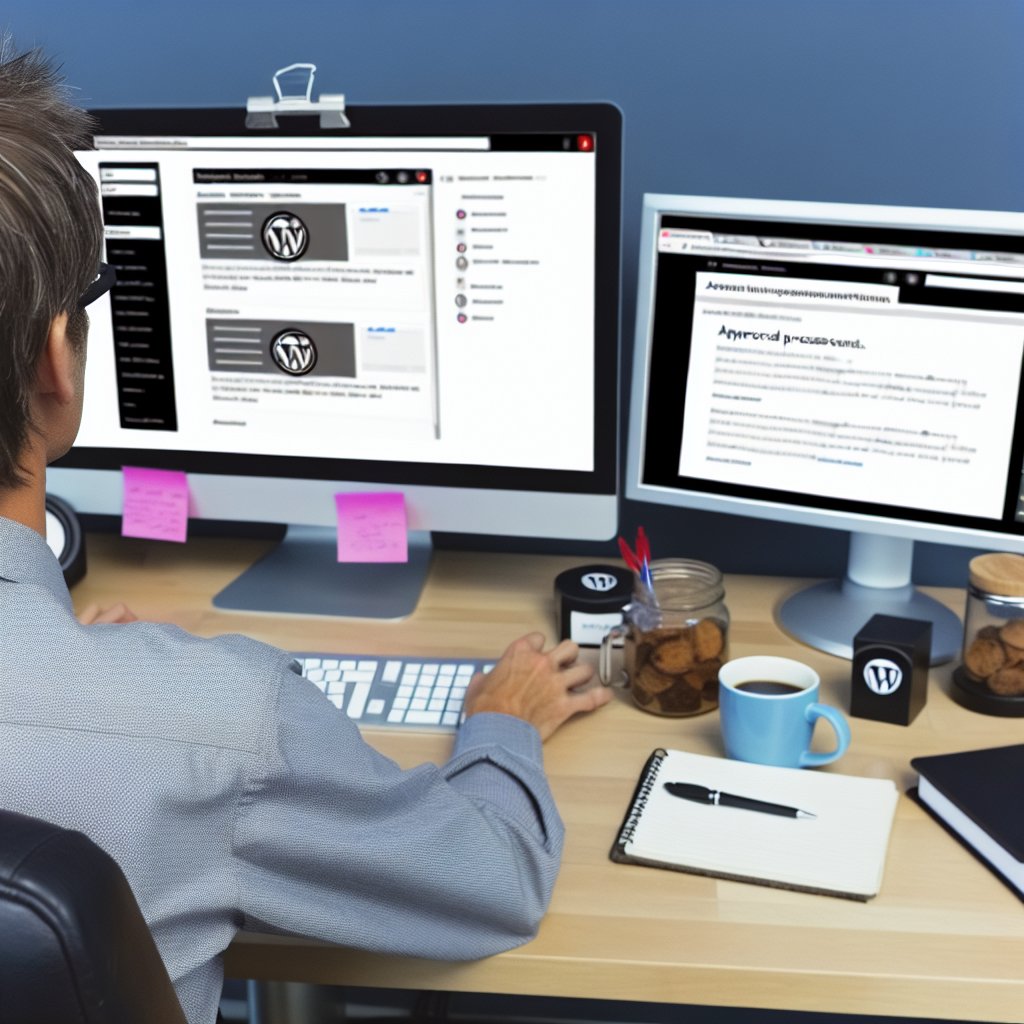
Training Your Team on the Content Approval Process and Tools
Introducing the Content Approval Workflow
Begin by clearly explaining the content approval process to your team.
Provide an overview of each step from draft creation to final publication.
Highlight the importance of following the workflow to maintain content quality.
Encourage team members to ask questions and share concerns early on.
Familiarizing with WordPress Tools and Plugins
Demonstrate how to use the WordPress dashboard effectively.
Show team members how to navigate content status indicators like drafts and pending reviews.
Introduce useful plugins such as Edit Flow or PublishPress for managing approvals.
Explain how these plugins can streamline collaboration and feedback.
Hands-On Training Sessions
Organize practical workshops where team members practice the approval steps.
Assign sample articles for creating, submitting, and reviewing within WordPress.
Guide them through leaving comments and approving or requesting revisions.
Provide immediate feedback to build confidence and competence.
Establishing Roles and Responsibilities
Clarify each team member’s role in the content approval process.
Define who creates, reviews, edits, and publishes content.
Ensure everyone understands their tasks and deadlines.
This clarity reduces confusion and accelerates the workflow.
Encouraging Consistent Communication
Promote the use of WordPress comment features and internal messaging.
Encourage prompt responses to feedback and revision requests.
Foster a collaborative environment where ideas and concerns are shared openly.
Regular updates help keep the content pipeline moving smoothly.
Offering Continuous Support and Resources
Provide access to guides, tutorials, and troubleshooting documents.
Schedule periodic refresher sessions to address new tools or process changes.
Transform Your Content Workflow with Draft and Edit
Ready to elevate your WordPress content creation?
Visit
Draft and Edit today and experience the power of AI-driven drafts and seamless collaborative editing.
Join our community to streamline your content process and boost your productivity like never before!
Designate a go-to person, such as content manager Lucas Ramirez, for assistance.
This ongoing support helps sustain adherence to the approval process.
Monitoring and Auditing the Approval Process to Identify Bottlenecks and Improve Efficiency
Importance of Monitoring Content Approval
Effective monitoring ensures the content approval process runs smoothly.
It helps spot delays and inefficiencies early on.
Consequently, content teams can address issues before they escalate.
Regular oversight fosters accountability among team members.
Furthermore, it boosts overall productivity and streamlines workflows.
Methods to Track Approval Workflow
Implementing tracking tools helps visualize each stage of content approval.
For example, WordPress plugins like Edit Flow provide editorial calendar features.
Advanced analytics software can log time taken at each approval step.
Additionally, setting up status notifications keeps stakeholders informed.
Thus, teams can respond quickly to any approval delays or questions.
Auditing for Continuous Improvement
Auditing approval data reveals recurring bottlenecks or process gaps.
Reviewing content revisions uncovers common reasons for rejections.
Moreover, interviews with editors and writers yield valuable insights.
Regular audits should assess workflow efficiency and communication clarity.
Ultimately, audits enable targeted improvements to the approval process.
Strategies to Resolve Identified Bottlenecks
First, clarify approval roles to avoid overlapping responsibilities.
Next, establish realistic deadlines for each step in the workflow.
Training sessions improve team members’ understanding of publication standards.
Additionally, automating repetitive approval tasks saves time.
Regular feedback cycles empower the team to adapt and enhance procedures.
Example of Efficiency Improvement at Harbor View Media
Harbor View Media used workflow audits to tackle frequent editorial delays.
The team introduced a centralized dashboard to track progress transparently.
They also standardized review criteria to reduce back-and-forth edits.
As a result, approval time decreased by 30%, boosting content output.
This example shows how monitoring can directly improve editorial efficiency.
Integrating Version Control to Track Content Changes and Revisions
Benefits of Using Version Control in WordPress
Version control allows teams to track all content edits efficiently.
It provides transparency by showing who made specific changes and when.
Furthermore, it helps prevent data loss by storing previous content versions.
Transform Your Content Workflow with Draft and Edit
Ready to elevate your WordPress content creation?
Visit
Draft and Edit today and experience the power of AI-driven drafts and seamless collaborative editing.
Join our community to streamline your content process and boost your productivity like never before!
This system also facilitates collaboration between editors and writers.
Consequently, content quality improves due to easier review and rollback options.
Popular WordPress Plugins for Version Control
Several plugins can add version control capabilities to WordPress.
For example, WP Revisions Control offers detailed revision management.
Another option is Revisionize, which enables safe updates to published content.
PublishPress Revisions provides editorial workflow tools alongside version tracking.
Choosing the right plugin depends on your team’s size and workflow complexity.
Setting Up Version Control with a Plugin
Start by installing your preferred version control plugin through the WordPress dashboard.
Then activate the plugin to enable revision tracking features on your site.
Next, configure settings such as the number of saved revisions and user permissions.
Additionally, set up notifications to alert team members about content updates.
Finally, train your content team on how to access and restore previous versions.
Best Practices for Managing Content Revisions
Encourage editors to write clear revision comments during updates.
Regularly review and clean up old revisions to optimize database performance.
Establish a review schedule to ensure timely approval of new content versions.
Integrate version control checks with your broader content approval workflow.
Lastly, document revision policies to maintain consistency among team members.
Ensuring Security and Compliance Throughout the Content Approval Workflow
Implementing Role-Based Access Controls
Assign specific roles to team members to control content access.
This strategy limits unauthorized content editing and publishing.
For instance, editors can review posts while authors submit drafts.
Moreover, administrators hold final approval authority to maintain oversight.
Such separation enhances security by reducing risky user permissions.
Utilizing Secure Plugins for Workflow Management
Choose reputable plugins designed to handle approval workflows securely.
These plugins track changes and log actions taken by users.
Besides, they often include notification systems to alert approvers promptly.
For example, the PublishPress plugin offers robust workflow capabilities with strict access controls.
Integrating such tools strengthens compliance with internal policies.
Establishing Clear Approval Policies and Protocols
Develop guidelines outlining each step in the content approval process.
This clarifies roles and reduces confusion among team members.
Policies should emphasize content verification and security checks.
Transform Your Content Workflow with Draft and Edit
Ready to elevate your WordPress content creation?
Visit
Draft and Edit today and experience the power of AI-driven drafts and seamless collaborative editing.
Join our community to streamline your content process and boost your productivity like never before!
Furthermore, formal documentation provides a reference during internal audits.
Effective policies ensure everyone follows consistent and compliant procedures.
Auditing and Monitoring Content Changes
Regularly audit content revisions to detect unauthorized alterations quickly.
Monitoring tools help identify suspicious activity within the workflow.
For example, Audit Log plugins maintain detailed records of user actions.
These records support accountability and help meet regulatory requirements.
Consequently, auditing safeguards the integrity of published content.
Training Team Members on Security Best Practices
Educate contributors about the importance of security in the approval process.
Training reduces the risk of accidental policy breaches or data leaks.
Include topics like strong passwords, phishing awareness, and proper permissions.
Additionally, update training regularly to reflect evolving security threats.
Well-informed teams contribute to a stronger, more compliant workflow.
Additional Resources
11 Best Hootsuite Alternatives for 2025 (Tried & Tested) – Planable
Seamless Integration: Connecting Contentful with WordPress – New …